Safe on/off switching
Turning a skill off moves it out of your agents' search folders. Turning it on puts it back and never overwrites what's there.
One tidy library for every AI agent's skills.
See every skill installed for Claude Code, Codex, Cursor, GitHub Copilot and six more coding agents. Switch them on and off, sort them into groups, and catch problems before your agent trips over them.
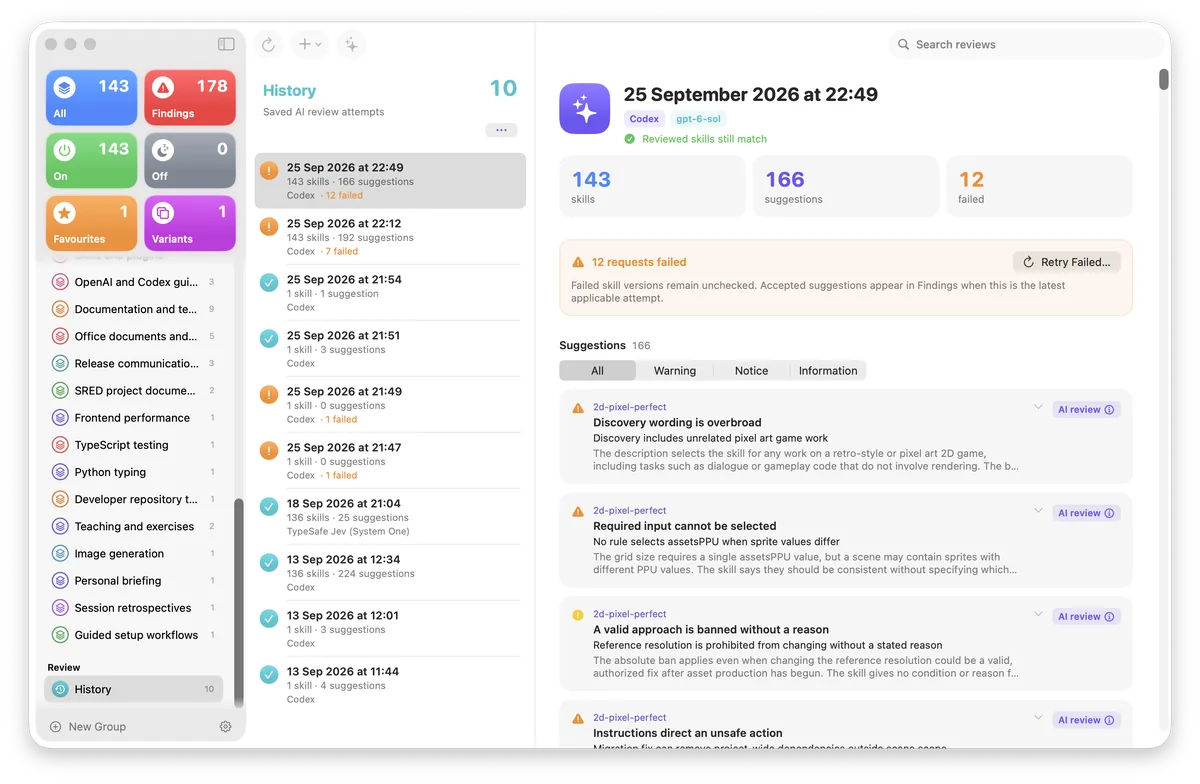
Skills are grouped by name across every agent and folder, with smart tiles for On, Off, Favourites, Variants and Findings.
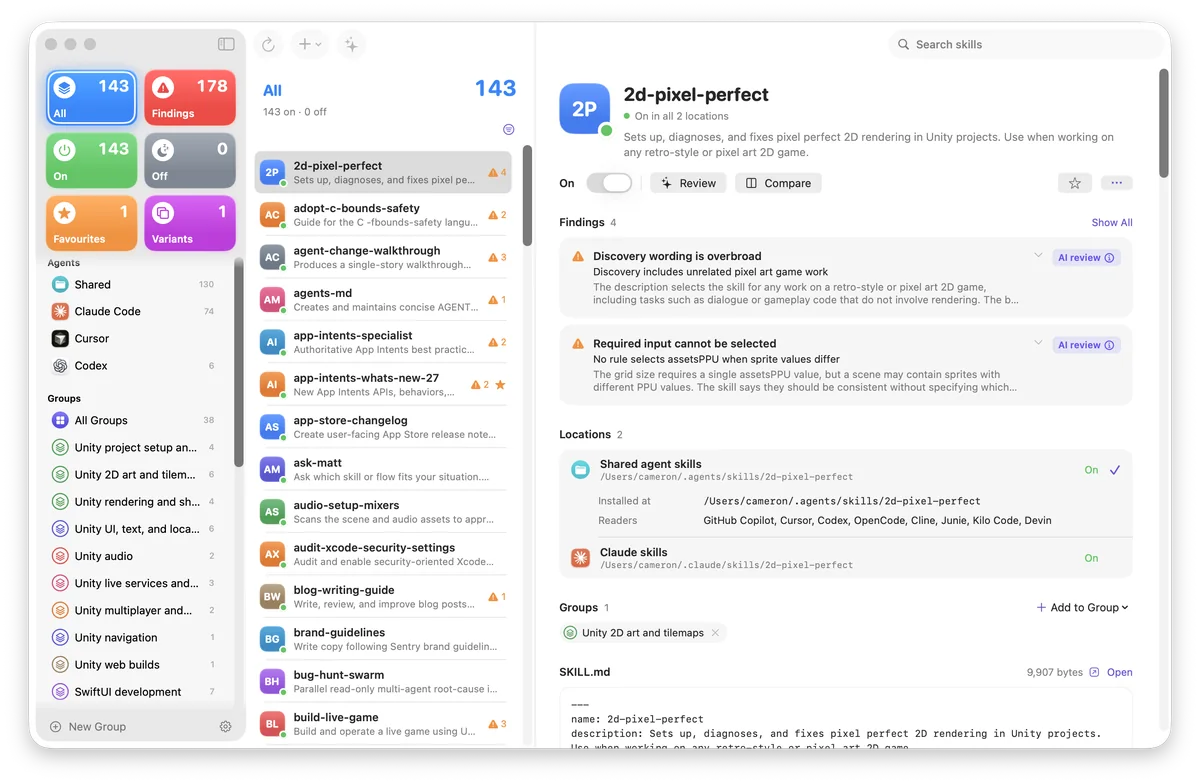
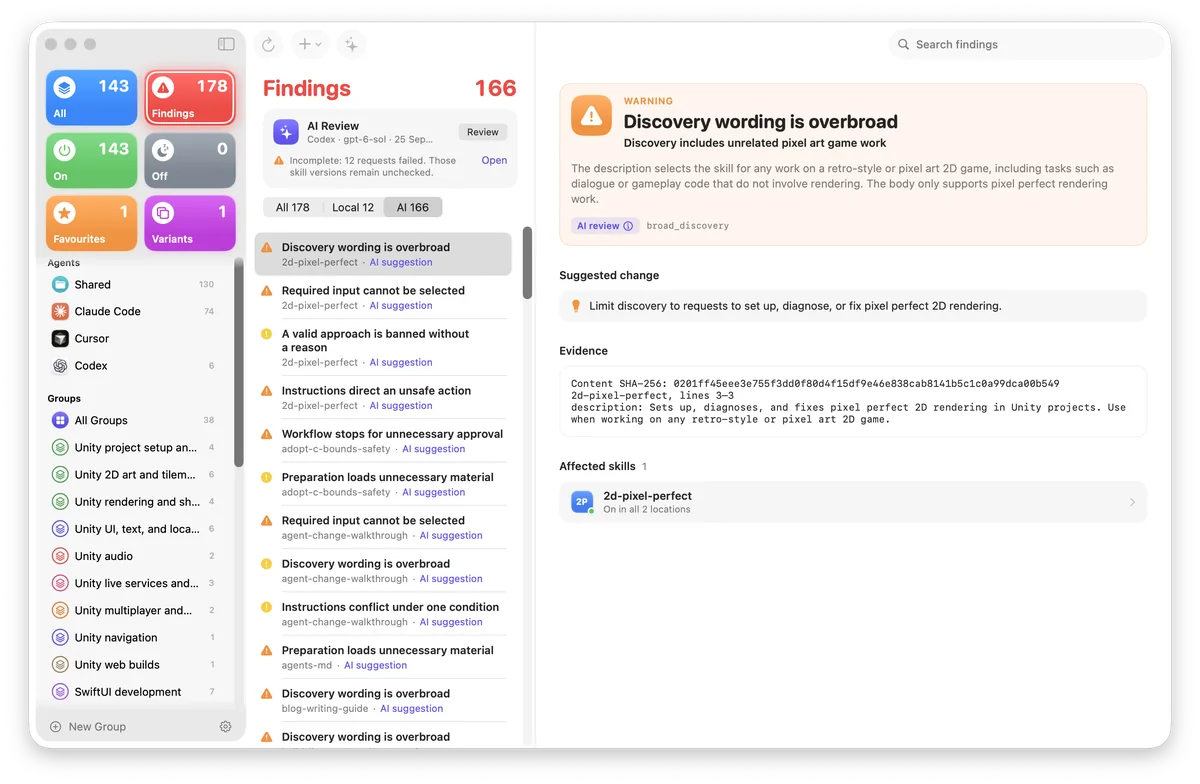
Built-in checks flag broken metadata without touching the network. Optional AI reviews explain what's wrong and suggest a fix.
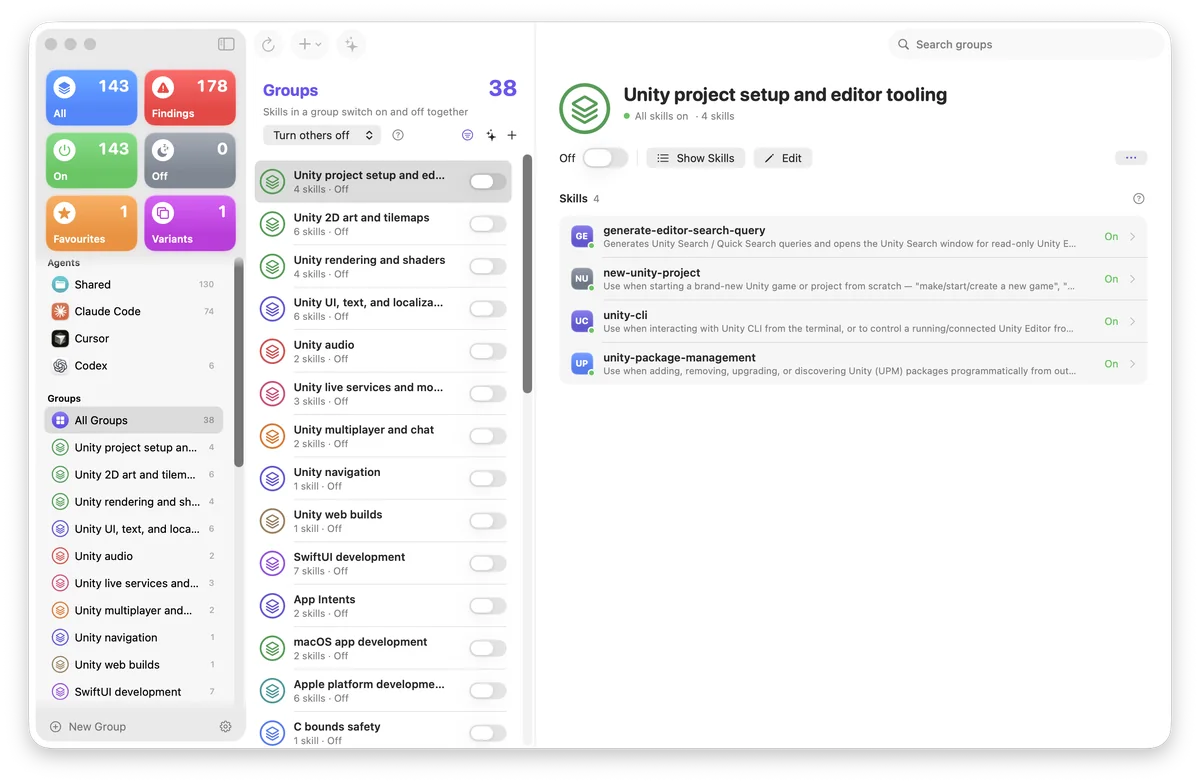
Bundle skills into groups for Unity, SwiftUI, writing or anything else, then flip a whole group on or off in one go.
Past reviews are kept on your Mac with counts, failures and suggestions, so you can retry failed requests or look back later.
Plus shared skills in ~/.agents/skills, your own project folders, and read-only Codex and Claude plugin catalogs.
Everything you need to keep dozens (or hundreds) of agent skills tidy, and nothing you don't.
Turning a skill off moves it out of your agents' search folders. Turning it on puts it back and never overwrites what's there.
See every folder and link a change will touch before a single file moves.
Drop skills onto groups, combine groups, or ask AI to suggest a starting set.
Put two SKILL.md files side by side with line numbers and a changes-only view.
Local checks run offline. Opt-in AI reviews explain each issue and suggest a change, and you can preview the request first.
Flip favourites and groups on and off from the menu bar without opening the window.
API keys live in your Mac's Keychain. Background AI review stays off until you switch it on.
Built with SwiftUI for macOS 26. Follows Light and Dark mode, and respects Reduce Motion.
Agents load whatever sits in their skill folders. Skill Manager moves skills in and out of those folders carefully, so you can change your setup without fear.
Choose one copy of a skill, every copy of it, or a whole group.
See exactly which folders and links will move, and where they'll go.
Off parks the skill in a safe folder on the same volume. On moves it back. Each batch is journaled first, and symlinks stay intact.
Skills with fuzzy descriptions or broken metadata confuse agents. Skill Manager points them out.
Every scan checks each skill's format and YAML front matter right on your Mac. No account, no network, no waiting.
Ask a model to read your skills for overbroad triggers, contradictions and missing inputs. You choose the reviewer and model, and preview the request before it goes.
No. Turning a skill off moves its folder (or link) to ~/Library/Application Support/SkillManager/Disabled, or to a storage folder you pick on the same volume. Turning it on moves it back to exactly where it was, and it never replaces a file that's already there.
Only if you ask it to. Scanning and the built-in checks run entirely on your Mac.
AI review is opt-in: you pick the reviewer and model, you can preview the request first, and background review stays off until you turn it on. Requests use your own account or API key.
GitHub Copilot, Claude Code, Cursor, Codex, Antigravity, OpenCode, Cline, Junie, Kilo Code and Devin, plus shared skills in ~/.agents/skills. You can add your own search folders and project locations in Settings.
Skill Manager changes the folders your agents read skills from. When an agent picks up the change depends on the agent. Some need a new session.
A Mac running macOS 26 or later. AI reviews need an account or API key for whichever reviewer you choose. Everything else works without one.
Soon. It's getting its final coat of polish, and the download button will light up the moment it's ready.
Skill Manager is nearly ready. Bookmark this page and grab it the moment it lands.